PeakHub
The programmable hub at the heart of the sciro system — eight ports, a 5×5 display, and a largely Pybricks-compatible MicroPython.
| Ports | 8 (A to H) for motors and sensors, largely LEGO-compatible (LPF2) |
|---|---|
| Port protocols | LUMP (LEGO UART Message Protocol) and PUMP (Power UART Multiplex Protocol) |
| Motor drive per port | Dedicated driver on every port, up to 2 A, over the full supply range up to 4S |
| 3.3 V supply per port | Dedicated on every port, up to 200 mA, with reverse-current blocking |
| Display | 5×5 light matrix |
| Processor | Arm Cortex-M7 at 400 MHz |
| Program storage | Separate memory chip, with far more room than robot programs need |
| Motion sensing | Built-in inertial measurement unit (IMU), tuned for low heading drift |
| Programming | A customized MicroPython, largely Pybricks-compatible |
| Wireless | Bluetooth, through the plug-in Hub Wireless Adapter |
| Power over USB-C | USB Power Delivery at 9 V (default), 12 V or 15 V, selectable from your program |
| Battery input | XT30 connector, 2S to 4S packs (7.4 V to 14.8 V nominal) |
| Battery input protection | Over-voltage, reverse polarity and ESD |
| Power consumption | About 500 mW typical, about 300 mW in power-save mode (hub only, without attached devices) |
| Power outputs | 2 × XT30, switched with the hub, for devices that need more than a regular port supplies |
| Bus (prepared) | An independent CAN FD connection on each power output, for future I/O devices |
| Firmware update | USB — flashable in-browser from this site |
PeakHub is the programmable controller that powers and coordinates the sciro system. It runs a customized MicroPython that is largely compatible with Pybricks, so you program it in Python much as you may already know — and it adds what we were missing: eight ports instead of six, and a faster link to sciro sensors such as the FloorPro.
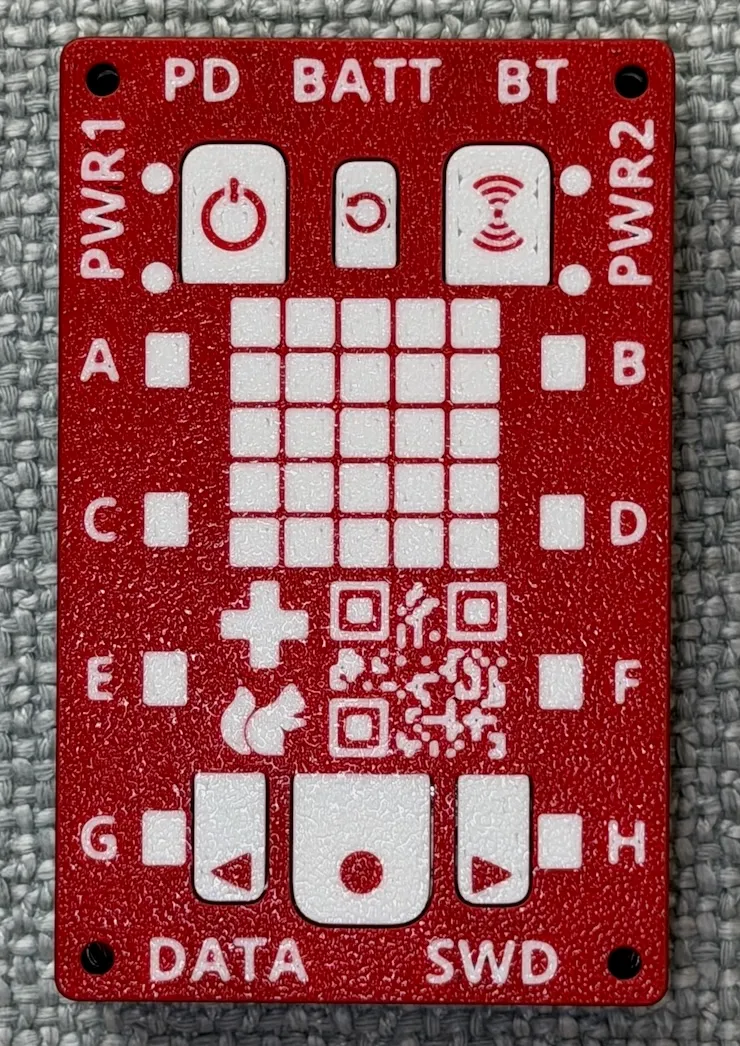
The picture shows the hub from above: the eight ports A to H along the sides, the 5×5 display in the middle, and the buttons for power, Bluetooth and navigation.
Eight ports
PeakHub has eight ports for motors and sensors. LEGO hubs have at most six.
The ports are largely compatible with LEGO’s LPF2 ports and are built for one purpose: working with robotics devices. Two protocols are supported:
- LUMP, the LEGO UART Message Protocol, as implemented by Pybricks — for the LEGO motors and sensors you already have.
- PUMP, our own Power UART Multiplex Protocol — faster, and able to carry several data channels over one port. The FloorPro uses it.
Every port is fully equipped on its own, rather than sharing resources with its neighbors:
- A dedicated motor driver. It can deliver high current, limited to 2 A to protect connectors and cables, and it works over the hub’s full supply range, up to a 4S battery.
- A dedicated 3.3 V supply for the attached device, up to 200 mA, with reverse-current blocking.
- ESD protection on the data pins.
One difference to LEGO hubs: simple devices without electronics of their own, such as plain lights or train motors, are not detected automatically. A program can still switch their power on and off.
Hub and wireless adapter
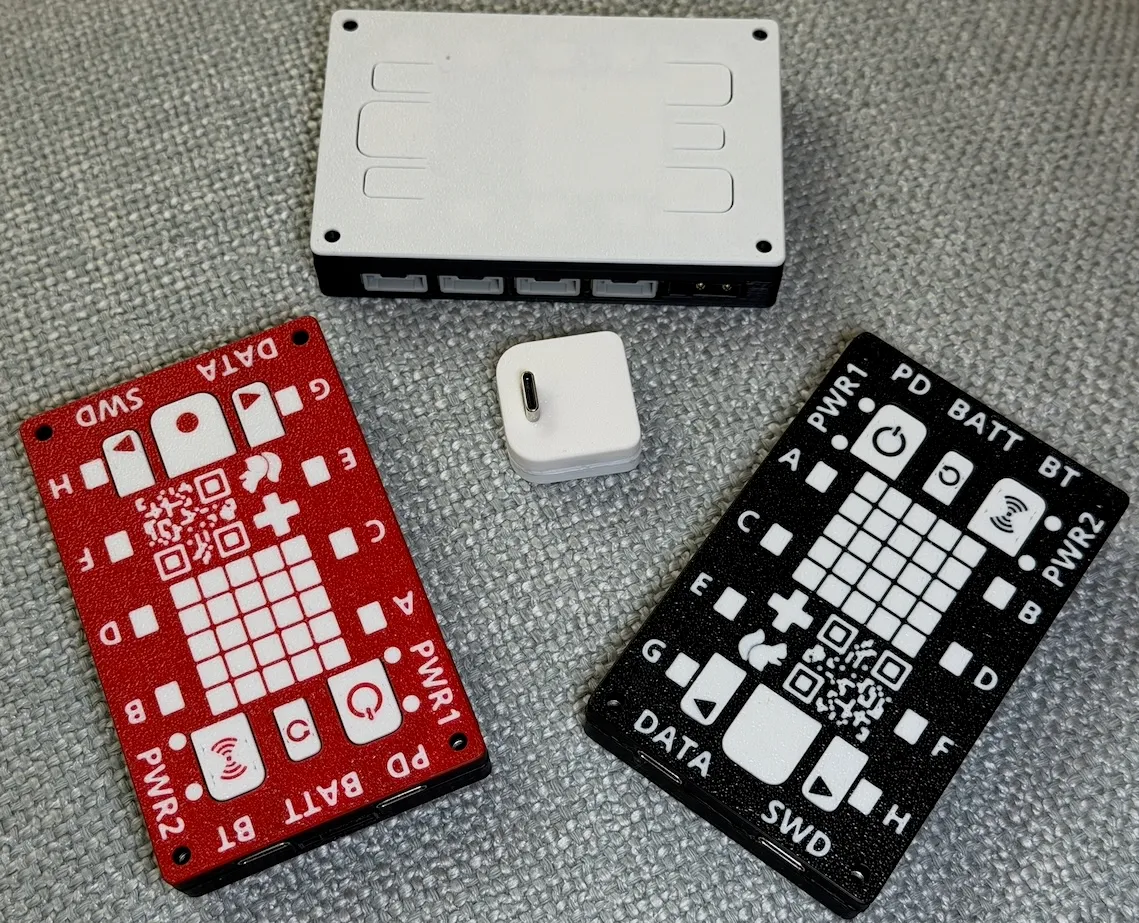
The small white cube in the middle is the Hub Wireless Adapter, the plug-in module that gives the hub its Bluetooth connection. The hubs around it are shown in different housing designs.
Plenty of computing power
At the center of the hub is an Arm Cortex-M7 processor running at 400 MHz — enough for the most advanced robot control. Your programs are stored on a separate memory chip that likewise offers far more room than robot control requires.
A motion sensor built for driving robots
PeakHub has a current-generation inertial measurement unit (IMU) built in. It senses how the hub turns and tilts, with better sensing capabilities and significantly less drift in the reported angles than older designs.
Of those angles, the heading matters most for a robot that drives: an error there grows with every turn and decides whether the robot ends up where it should. We therefore tuned the design specifically to keep heading drift as low as possible.
Two ways to power it
USB-C Power Delivery. Plug in a USB-C supply — most likely a power bank — and the hub negotiates its voltage. The default is 9 V, which practically every power bank offers because phones charge with it. From your program you can ask for 12 V or 15 V instead, if the supply provides them.
A battery. The XT30 connector takes battery packs from 2S (7.4 V nominal) to 4S (14.8 V nominal). This input is protected against over-voltage, against a battery connected the wrong way round, and against electrostatic discharge.
Power-save mode
A robot spends most of its day sitting on the table while the team works on the program. After several minutes without activity, PeakHub therefore switches to a power-save mode on its own.
The hub itself then needs about 300 mW instead of its typical 500 mW. The bigger saving comes from the ports: in power-save mode the hub also cuts the supply to all eight of them, and some motors and sensors draw several watts each just standing by. Together this can make a battery last several times longer over a working session.
Two power outputs for demanding devices
Some devices need more power than a regular motor and sensor port (LPF2) can supply. For those, PeakHub has two XT30 power outputs. They are switched by the hub: when the hub is off, the outputs are off too.
Both outputs are also prepared for a bus system. Each one carries its own, independent CAN FD connection, so that I/O devices can be attached there in the future.
A name of its own
Every PeakHub shows up over Bluetooth under its own name, so you can tell yours apart from the others on the table. You can rename it from this website.
Firmware & support
PeakHub firmware can be updated in your browser using the firmware updater. Hub and adapter firmware belong together: when you update one, update the other.