Hub Wireless Adapter
The plug-in Bluetooth module that connects a sciro hub to your computer — updatable and PIN-protectable from the browser.
| Radio | Bluetooth Low Energy |
|---|---|
| Connection to the hub | Plug-in module; the hub switches it on and off |
| USB | USB-C on the module, for firmware updates and settings |
| Power consumption | About 200 mW typical |
| Protection | Optional 6-digit PIN, remembered per computer after the first connection |
| Firmware update | In the browser over USB (Chrome or Edge) — no tools, no driver |
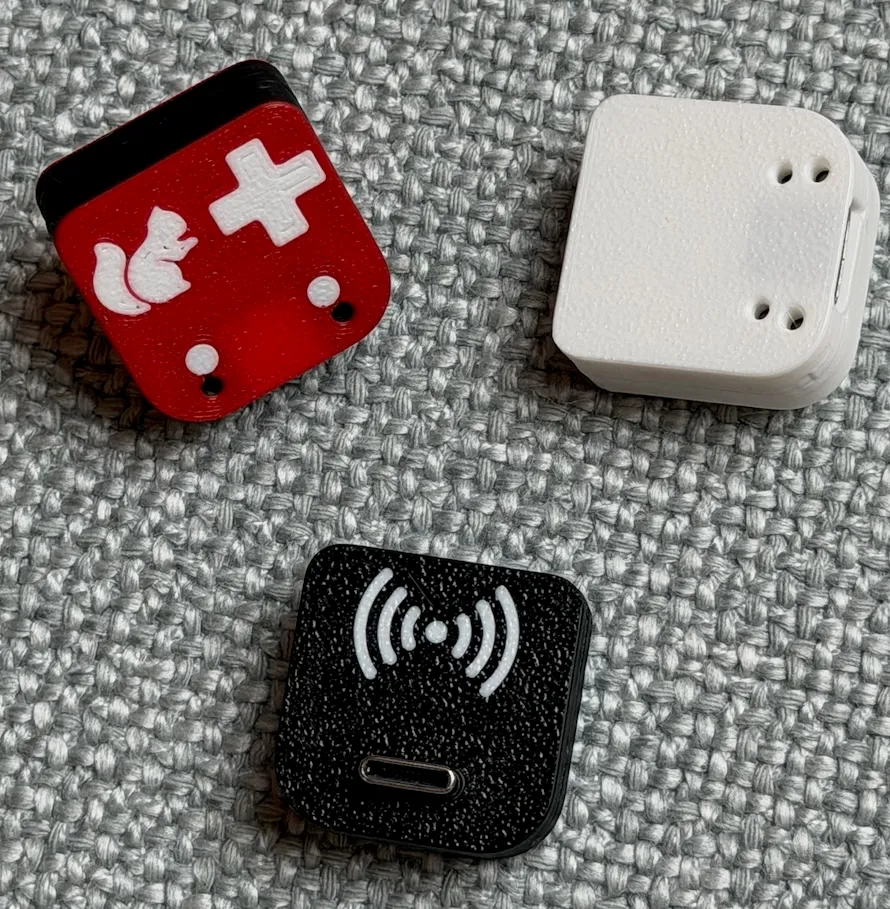
The Hub Wireless Adapter gives a sciro hub its Bluetooth connection. It is a small plug-in module with its own radio and its own firmware, so the wireless side can be updated — or replaced — independently of the hub.
The picture shows three adapters in different housing designs, seen from both sides; the USB-C socket is on the one in front.
Works with the Pybricks tools
Once plugged into a hub that is switched on, the hub shows up over Bluetooth under its name and you connect, download programs and use the console exactly as you would with any Pybricks hub.
PIN protection for classrooms and competitions
In a room full of hubs you do not want someone else’s computer connecting to yours. Set a 6-digit PIN and a computer has to enter it once, the first time it connects; after that it is remembered. Computers without the PIN cannot connect.
The PIN is set, changed and removed from this website over the module’s USB port: PIN protection.
Kept up to date in the browser
Hub and adapter firmware belong together: when you update one, update the other. Both are done from this site, without installing anything: update the adapter firmware.