FloorPro
A 15-channel infrared floor sensor for line following — for LEGO hubs running Pybricks and for the sciro PeakHub, with two expansion ports for color and motion sensing.
| Sensing | 15-channel IR photodetector array (floor proximity / line tracking) |
|---|---|
| Controllers | LEGO hubs running Pybricks (LUMP protocol) and the sciro PeakHub (PUMP protocol) |
| Update rate | Up to 100 Hz over LUMP, up to 400 Hz over PUMP |
| Mounting distance to the floor | 2 to 8 mm recommended; usable from 0 to about 40 mm |
| Expansion | 2 ports, each accepting a color sensor or a 9-axis IMU (auto-detected) |
| Display | External LED display on a cable, so it stays visible when the sensor is mounted under the robot |
| Processor | 32-bit Arm Cortex-M4 |
| Firmware update | USB — flashable in-browser from this site |
FloorPro is a wide-field floor sensor for robots. A 15-channel infrared photodetector array reads the surface beneath your robot across its full width — ideal for line following, edge detection, and surface tracking with far more resolution than a single spot sensor.
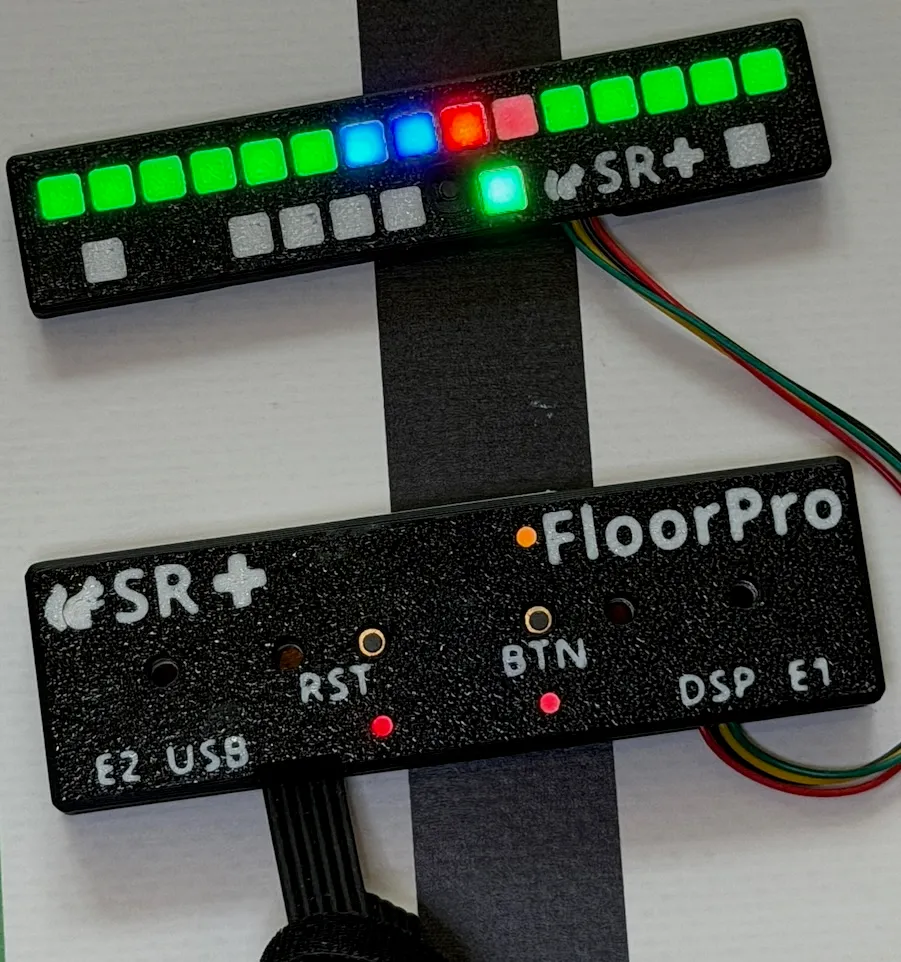
The picture shows FloorPro (bottom) with its external display (top), switched on over a black line on white: the display lights up where the sensor sees the line.
Mounting distance
Mount FloorPro with 2 to 8 mm between the sensor and the floor. That is the recommended range.
It remains usable from touching the floor up to about 40 mm, where it still resolves roughly 8 bits. How well it works at the far end depends on the surface: on how much light the floor reflects and how much the black of the line absorbs — it is the difference between the two that the sensor measures. Two things get worse with distance: the reading becomes less sharp, because each channel sees a wider patch of floor, and light from neighboring channels starts to spill over.
An external display, where you can see it
A floor sensor sits low, often underneath the robot — exactly where a built-in display would be useless. FloorPro’s LED display is therefore a separate bar on a cable: mount it wherever you can see it. It mirrors what the sensor sees, channel by channel, together with the status of the device and its expansion sensors, which makes calibration and debugging on the table quick.
Two expansion ports
FloorPro has two extension connectors. Each one accepts either:
- a Color Sensor — reads reflected red/green/blue, with its own illumination LED, or
- a Gyro — a 9-axis IMU reporting heading and orientation for turns and navigation.
The attached sensor is detected automatically at power-up, so you can mix and match without reconfiguring anything.
Supported controllers
FloorPro works with two families of hubs. It finds out by itself which one it is plugged into.
| LEGO hubs running Pybricks | sciro PeakHub | |
|---|---|---|
| Protocol | LUMP, the standard LEGO sensor protocol | PUMP, our multiplexed protocol |
| Line data | up to 100 Hz | up to 400 Hz |
| Data layout | one combined reading: line data and both expansion sensors packed together | separate channels for line, raw values, color and motion |
| Subscription | fixed | per channel: switch each one on or off and choose its rate |
| Color sensor detail | 8-bit RGB | raw 16-bit values with adjustable gain and integration time |
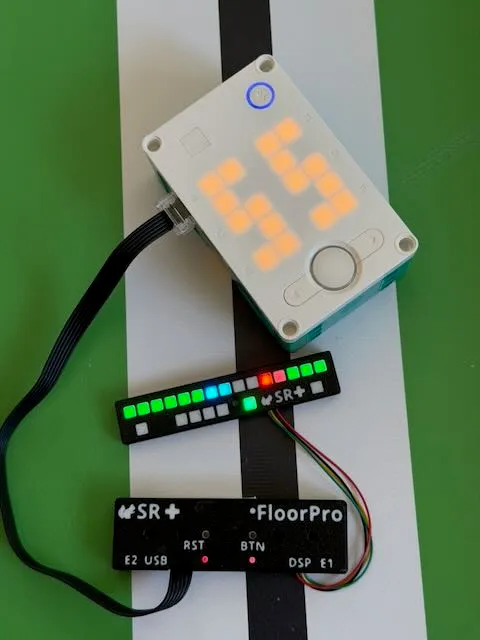
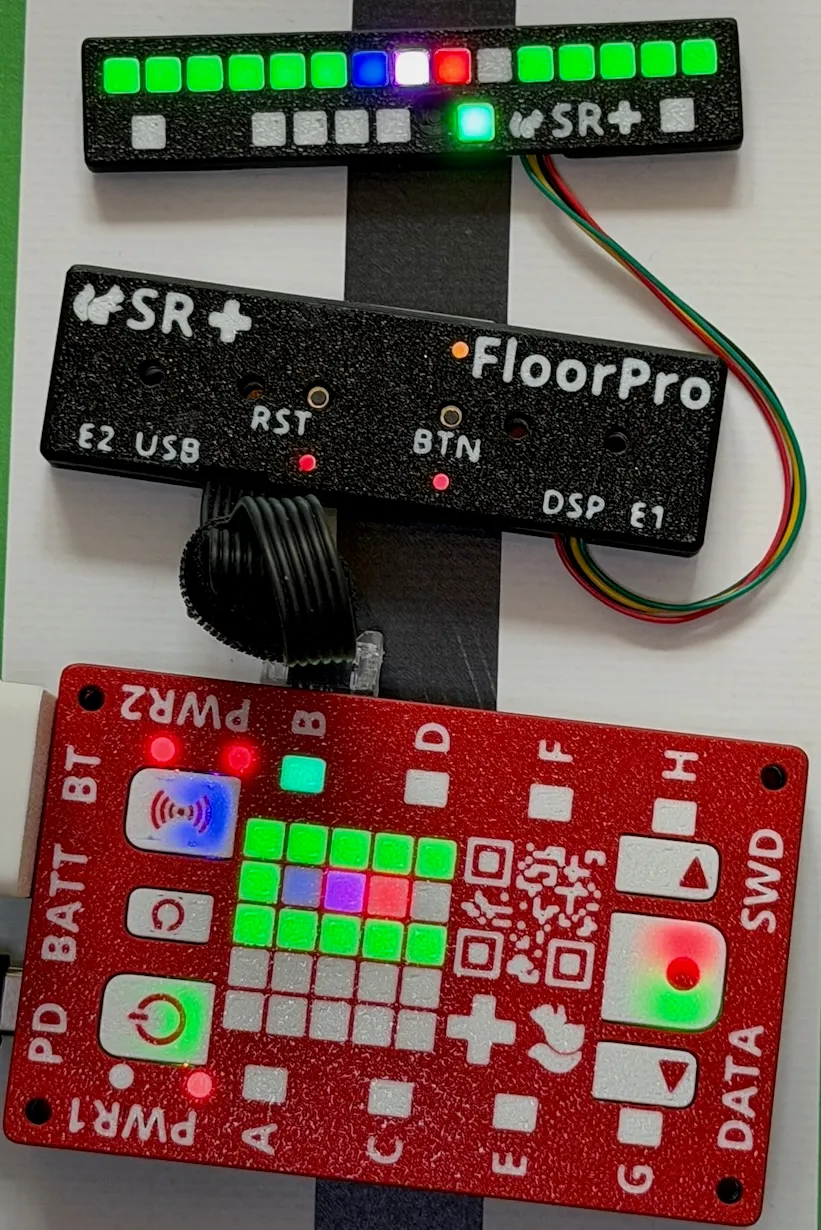
Left: on a LEGO Inventor hub running Pybricks, which shows the measured line position on its 5×5 display. Right: on a sciro PeakHub, which mirrors the external display on its own 5×5.
On a LEGO hub, FloorPro presents itself as a standard sensor, so it works with Pybricks out of the box. On a PeakHub the faster link and the per-channel subscription let your program take exactly the data it needs — for example line position at full rate and the gyro heading at 100 Hz, without paying for channels it does not use.
At a glance
- Full-width 15-channel IR sensing for reliable line and edge tracking.
- Works with LEGO hubs running Pybricks and with the sciro PeakHub.
- Two auto-detecting expansion ports (color or motion).
- External LED display that stays visible when the sensor is under the robot.
- Field-updatable firmware over USB, straight from this website.
Firmware & support
FloorPro firmware can be updated in your browser — no tools to install. Because the firmware is proprietary, updates are unlocked with your device’s ID. Open the firmware updater to get started.